
AI Product Design That Becomes Working Software
The wall between design and development is dissolving — but only if your design intent is structured enough for AI to act on. Today, designers define scenarios that agents read directly. The visual AI User Flow Builder, which turns flows into executable specs, is in development.
Join the Waitlist — AI User Flow Builder →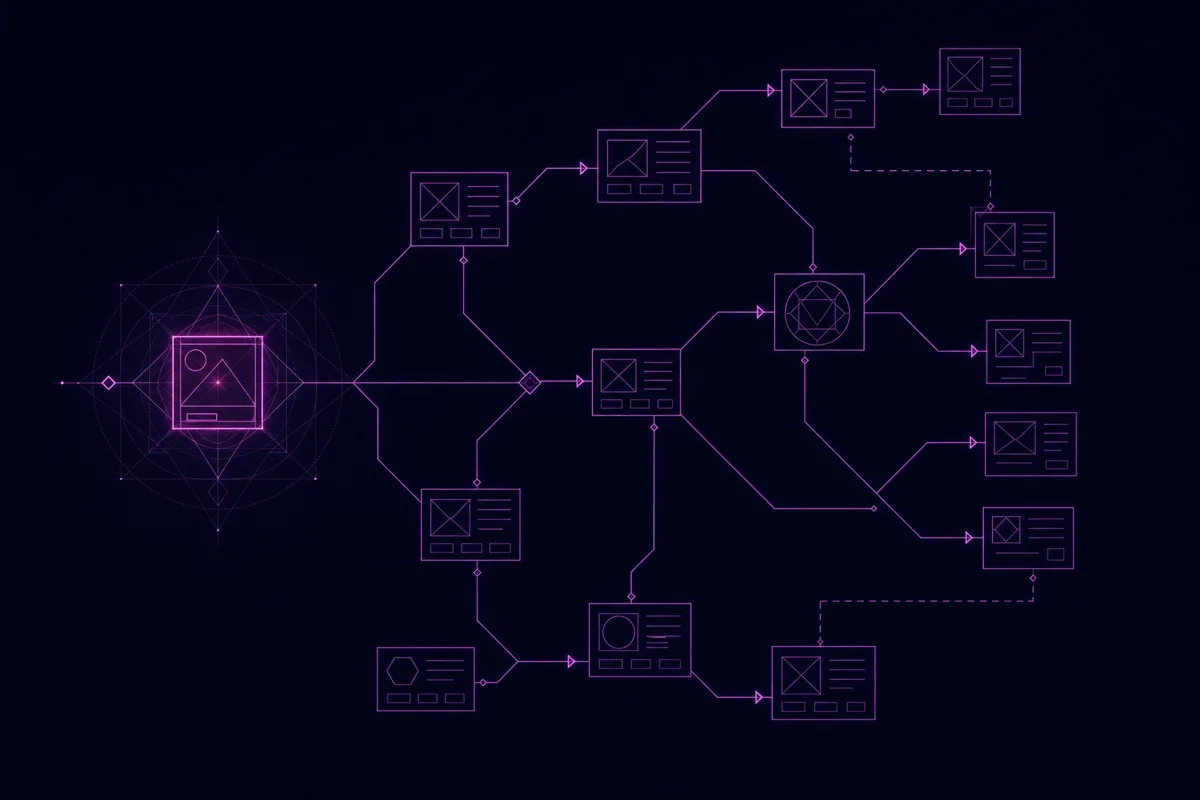

The Handoff Problem AI Design Has to Solve
The gap was never in creating designs. It's in ensuring what gets built matches what was designed — and a picture, however annotated, can't carry behavioral intent across the handoff.

A Design Is a Picture
Your Figma file communicates visual intent but not behavioral intent. No matter how detailed the annotations, they're unstructured text attached to shapes. "See note on hover behavior" isn't something an AI agent can turn into code with confidence.

Agents Build What You Didn't Mean
A developer — or an agent in Claude Code or Cursor — interprets your design and builds something that looks similar but behaves differently. The hover state is wrong, the error handling is missing, the edge case you annotated was never implemented.
Faster Mockups Solve the Wrong Problem
Most AI design tools make prettier prototypes faster. But the gap was never in creating designs — it's in making sure what gets built matches what was designed. Speed on the wrong side of the handoff doesn't close it.

You won't hand off a design and hope. You'll hand off an executable specification that happens to look like one — and the agent will execute it, not interpret it.
Design Intent as
Structured Scenarios
Today, you capture design intent as structured scenarios with defined behaviors, inputs, outputs, and transition conditions — in the screen-and-element Design module. A registration flow becomes a set of scenarios with acceptance criteria, not a stack of screens to be interpreted. AI coding agents read those scenarios directly via MCP, and tests generated from them verify the result. This part is built and working now.
What is a product model? →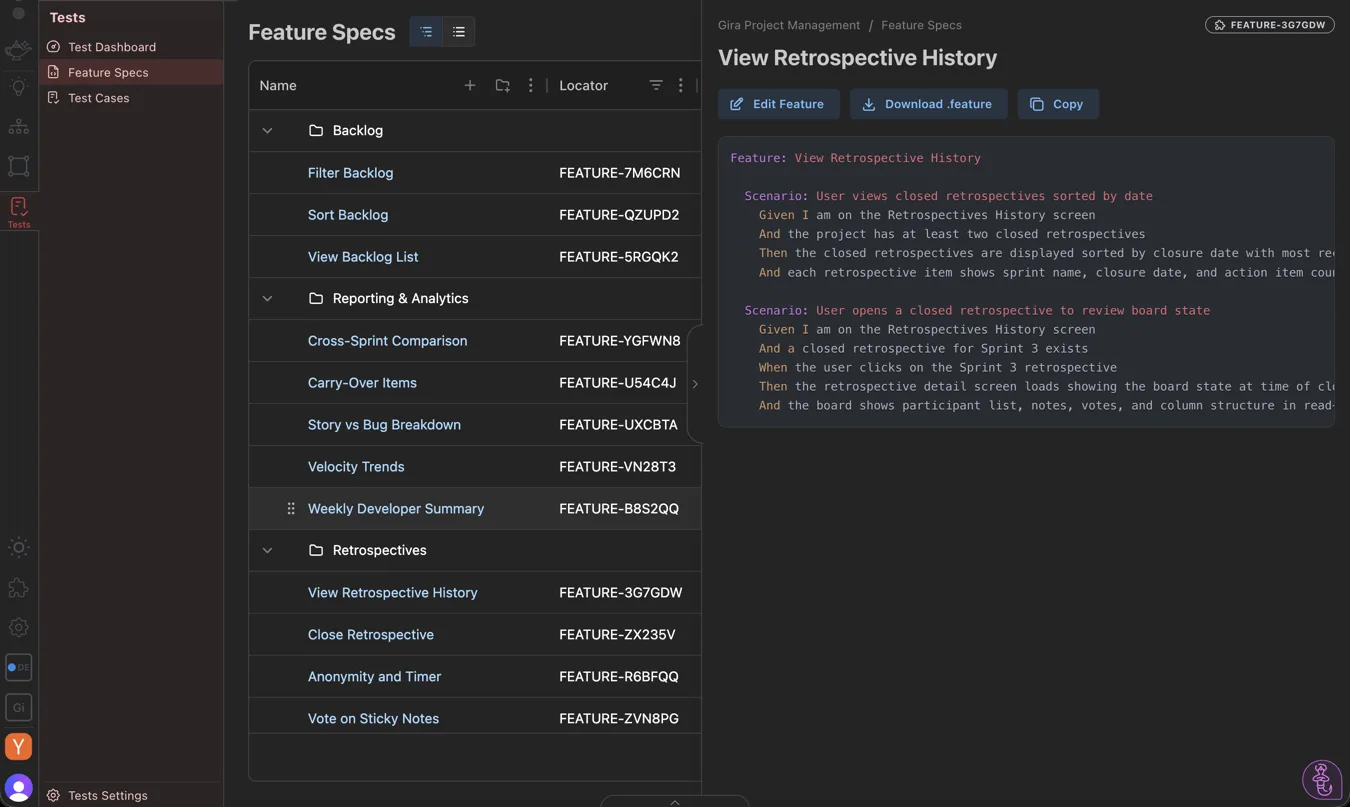

Key Features
Scenarios, the Design module, agent context, and test generation — with a visual flow-to-spec builder and AI-assisted flow generation.
- ✓ Define features as structured scenarios with acceptance criteria
- ✓ Screen + element model (the Design module) — states and behaviors
- ✓ Contribute to the product model alongside PMs
- ✓ AI agents read your design intent directly via MCP
- ✓ E2E tests generated from scenarios verify the build matches the design
- ◇ AI User Flow Builder — visual, drag-and-drop flow-to-spec canvas Coming Soon
- ◇ AI-assisted flow generation (suggest scenarios, flag missing edge cases) Coming Soon
- ◇ Agent activity dashboard — see implementation vs. design Coming Soon

From Flow to Verified Software
Roles are collapsing — the designer who expresses intent as structure, not just visuals, becomes the one defining what gets built. Here's the pipeline that runs today, with the visual canvas in development on top.
Map the Flow
Define each step of the experience — its states, transitions, and conditions — in the vocabulary you already use.
Flow Becomes Spec
Each step is a structured scenario with acceptance criteria: "Given a new user submits valid credentials, when the system processes registration, then a verification email is sent."
Agents Build It
AI coding agents read the spec via MCP and implement the behavior you defined — not a guess at the picture.
Tests Verify It
E2E tests generated from the same scenarios confirm the implementation matches your design. The visual flow builder on top of this is in development.

Frequently Asked Questions
What AI product design tools connect design to development?
Most focus on visual generation — UI components, layouts, prototypes. AppGenie focuses on behavioral specification: turning design intent into structured scenarios that AI coding agents execute and automated tests verify. The difference is whether the tool makes design faster or makes design more effective at driving correct implementation.
Can designers use AppGenie without coding skills?
Yes. AppGenie is built for product thinkers. The product model is a visual, structured interface, and scenarios are written in plain language. No code, no scripting. You work in the vocabulary you already use — states, transitions, conditions — and AppGenie structures it for machine consumption.
What can I do today, and what's coming?
Today you can define features as structured scenarios, work in the screen-and-element Design module, feed agents your design intent via MCP, and generate tests that verify the build. The visual AI User Flow Builder — a drag-and-drop flow-to-spec canvas — is in development, and we mark it as such rather than imply it exists.
What is the difference between AppGenie and Figma?
Figma excels at screens, prototypes, and design systems. AppGenie is a spec-driven development platform — it captures behavioral specifications that drive AI code generation and testing. They are complementary: design the experience in Figma, specify the behavior in AppGenie, and AI agents build what both describe.
Design the behavior, not just the picture.
Join the waitlist for early access to the visual flow builder.
Join the Waitlist — AI User Flow Builder →