
Claude Code, Building From Your Product Model
Claude Code is the most capable CLI coding agent there is. AppGenie makes it accurate. Connect it via MCP and your agent reads structured features, scenarios, and acceptance criteria before it generates — and writes back to the model as implementation reveals new requirements.
Join the Waitlist →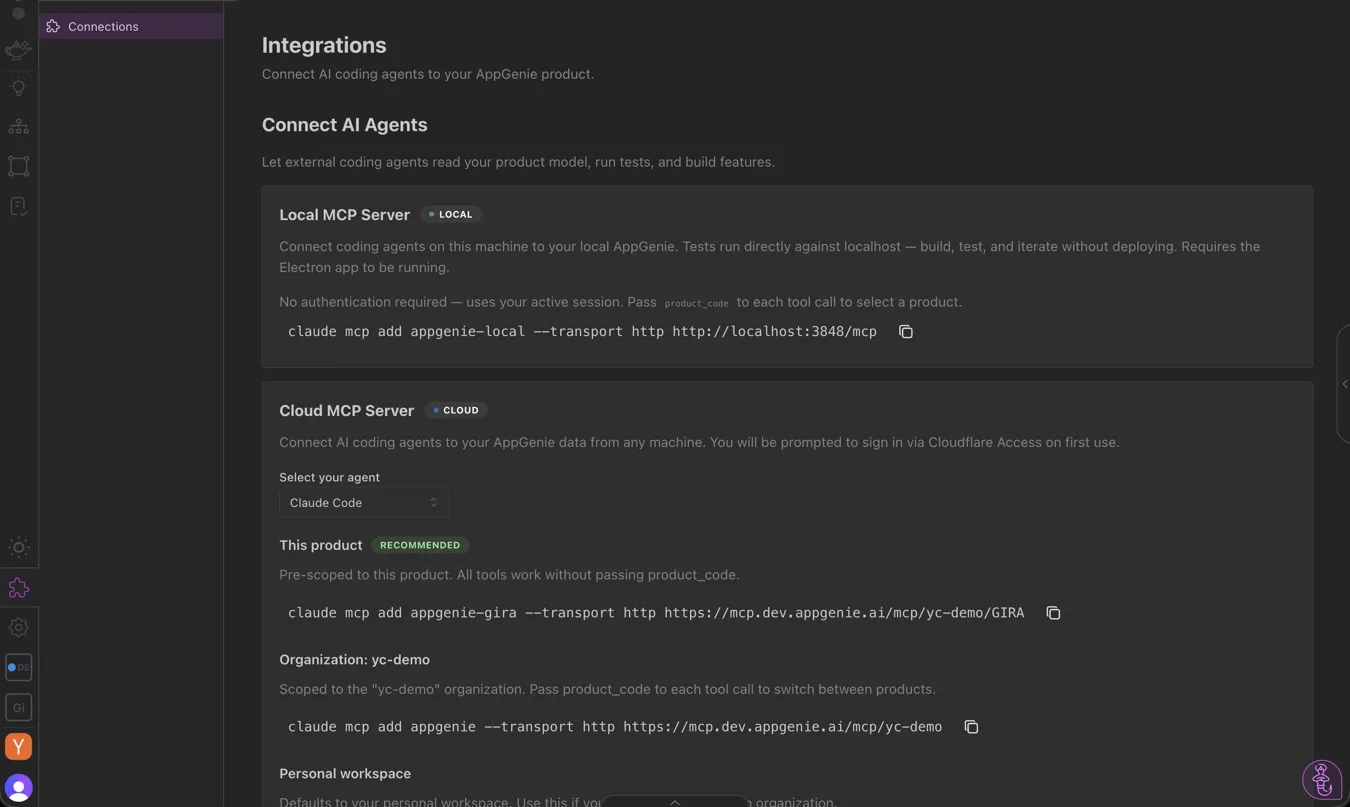

What Claude Code Gets From AppGenie
Not a prompt, not a pasted requirement — structured, queryable product context delivered at the point of code generation.

Structured Product Context
Features, feature groups, and Given/When/Then scenarios with acceptance criteria — queryable context Claude Code reasons about before writing the first line, not a one-line prompt or a file dump.

Bidirectional Read + Write
Claude Code reads the product model and writes back to it — scaffolding features, scenarios, tasks, elements, and ideas as implementation surfaces new requirements. The agent contributes to the model.

Tests That Verify Intent
AppGenie generates E2E tests from the same scenarios the agent built against. Run them against Claude Code's output to confirm it satisfies the spec — not just that it compiles.

The difference isn't in Claude Code's capability — it's in the context it receives. Better context produces better code; structured context produces aligned code.
A Model the Agent
Reads and Writes
When Claude Code connects, it reads your full product specification — features, scenarios, acceptance criteria, and how they relate — so it knows which scenarios a feature must satisfy before writing code. The integration is bidirectional: as implementation surfaces new requirements or edge cases, the agent writes them back into the model. It's a participant in your product model, not just a reader of it.
What is a product model? →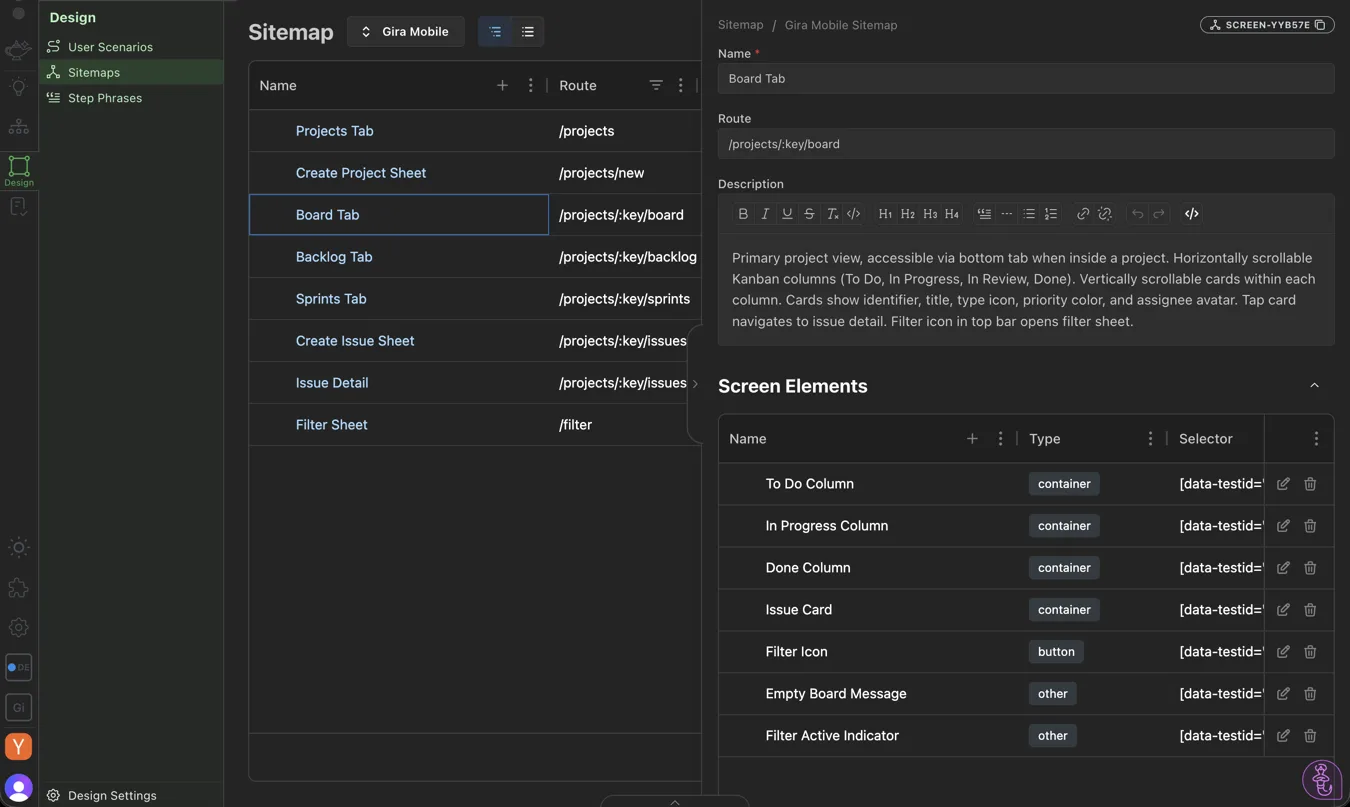

How to Set It Up
No prompt engineering workarounds, no copy-pasting requirements. Your configuration lives in the app, ready to copy into Claude Code.
Build Your Product Model
Define features and scenarios with acceptance criteria — the structured spec Claude Code will read.
Get Your Config In-App
Open the Integrations page in the AppGenie app for your MCP server configuration and API key, with copy-ready Claude Code setup instructions.
Your Agent Reads the Spec
Ask Claude Code to "implement the checkout feature" — it reads the feature, its scenarios, and acceptance criteria from AppGenie on demand.
Verify With Generated Tests
Run the E2E tests AppGenie generated from those scenarios against the result. The tests check product intent, not just compilation.

What Changes in Your Workflow
Same agent, same command. The difference is everything it knows before it starts.
| "Implement the checkout feature" | Without AppGenie | With AppGenie |
|---|---|---|
| Context the agent starts from | Training data + repo patterns | Feature spec + scenarios + criteria |
| Edge cases handled | Whatever it infers | The ones you defined |
| Alignment to your intent | Approximate | Anchored to the spec |
| Review burden | Read everything, correct drift | Lower — started with the right context |
| Verification | Does it compile? | Does it satisfy the scenarios? |

What's Live Today
The MCP read + write integration is shipped. Setup runs through the in-app Integrations page today; a published one-line install package is on the way.
- ✓ Read product features, scenarios, and acceptance criteria via MCP
- ✓ Write back: create/update features, scenarios, tasks, steps, ideas
- ✓ Cross-feature awareness from the product-model graph
- ✓ E2E tests generated from the same scenarios for verification
- ✓ Per-agent setup from the in-app Integrations page (API key included)
- ◇ Published npm/npx package for one-line install Coming Soon

Frequently Asked Questions
How do I connect Claude Code to AppGenie via MCP?
Build your product model in AppGenie, then open the Integrations page inside the app for your MCP server configuration and API key — with copy-ready, per-agent setup instructions for Claude Code. Once connected, the agent reads your features, scenarios, and acceptance criteria on demand before generating code.
What does Claude Code get from AppGenie?
Structured product context: features and feature groups, Given/When/Then scenarios with acceptance criteria, the relationships between features, and the intent behind them. It's queryable context the agent reasons about during multi-file implementation — not a file dump.
Is the AppGenie MCP integration bidirectional?
Yes. Claude Code can read the product model and write back to it — creating or updating features, scenarios, tasks, steps, elements, screens, roles, and ideas as implementation reveals new requirements. The agent contributes to the model, not just consumes it.
Does this work with spec-driven testing?
Yes. AppGenie generates E2E tests from the same feature scenarios Claude Code builds against, so you can verify the generated code satisfies product intent — not just that it compiles.
Give Claude Code the full spec.
Join the waitlist to connect Claude Code via MCP at launch.
Join the Waitlist →